All four Wi-Fi sensors are now assembled and ready for deployment. Each combines a Freenove ESP32-S3 board with a Sensirion SHT40 to measure temperature and relative humidity. A setup button lets me change the Wi-Fi credentials and UDP receiver when moving between networks, without reflashing the firmware.
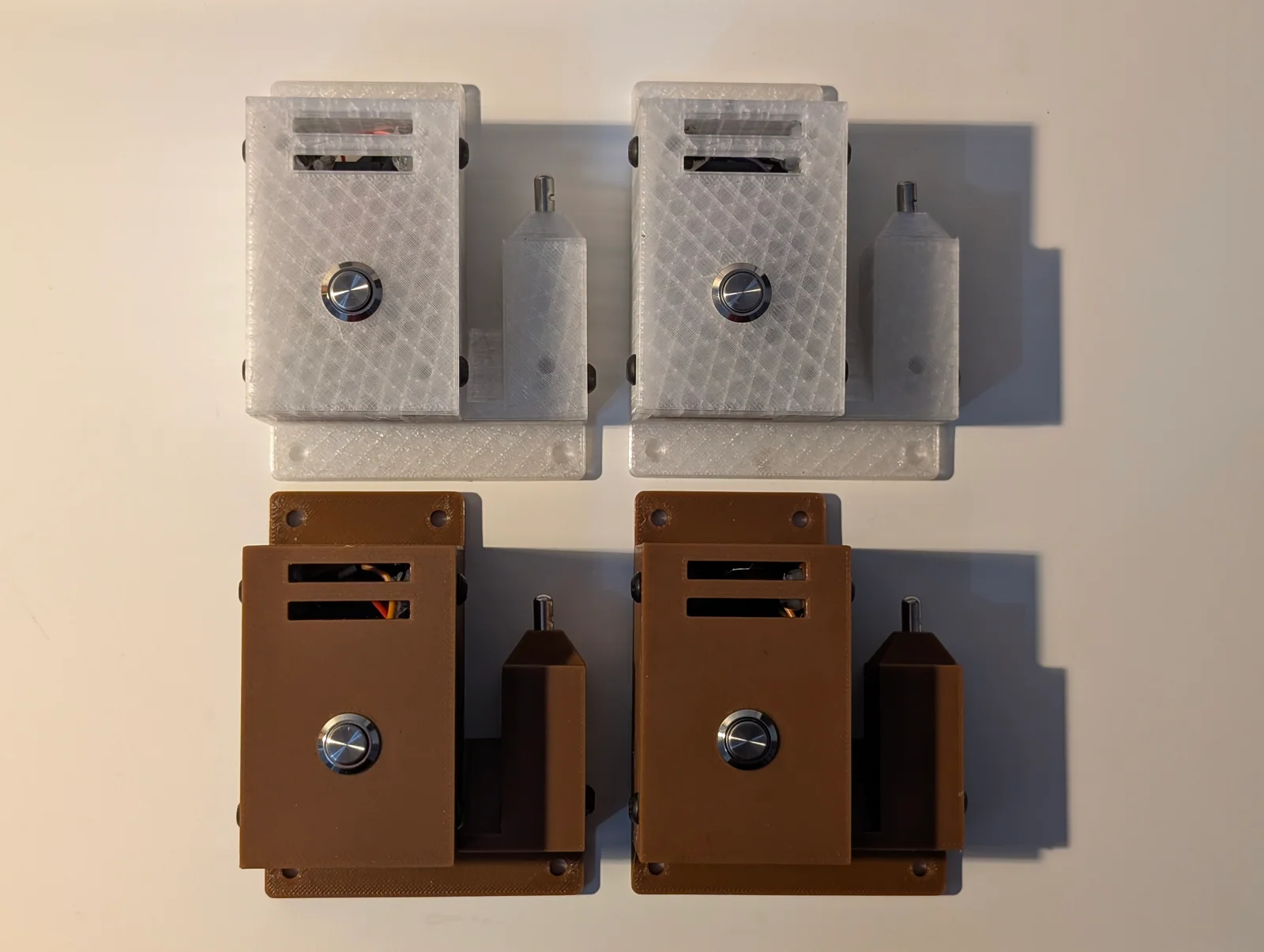
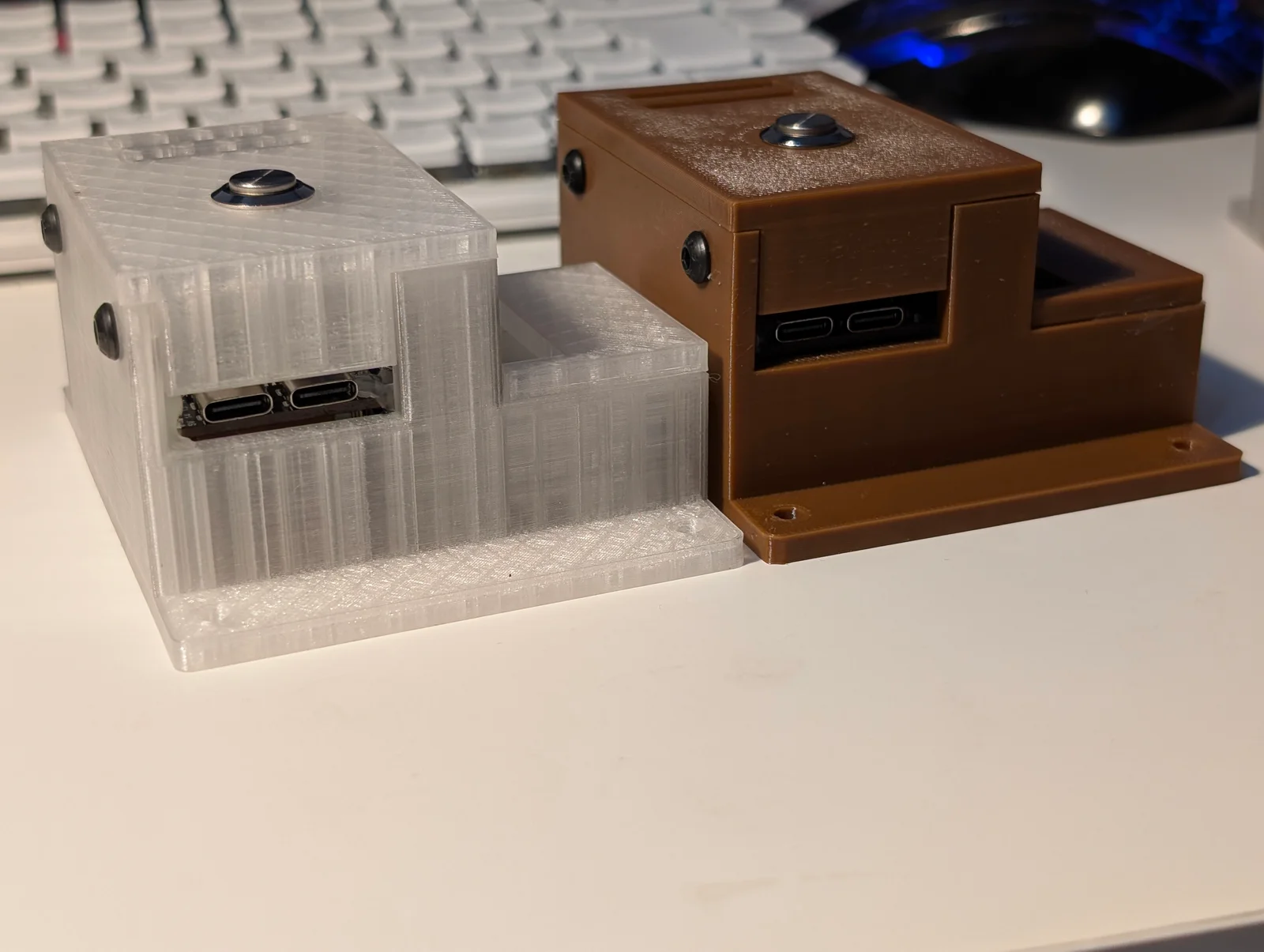
The finished enclosures have ventilation slots, mounting holes and a separate housing for the sensing element. Local UDP reception has been verified with tcpdump and Wireshark; connecting the units to the Swedish ingestion path is the next step.
Hold the button during reset to configure
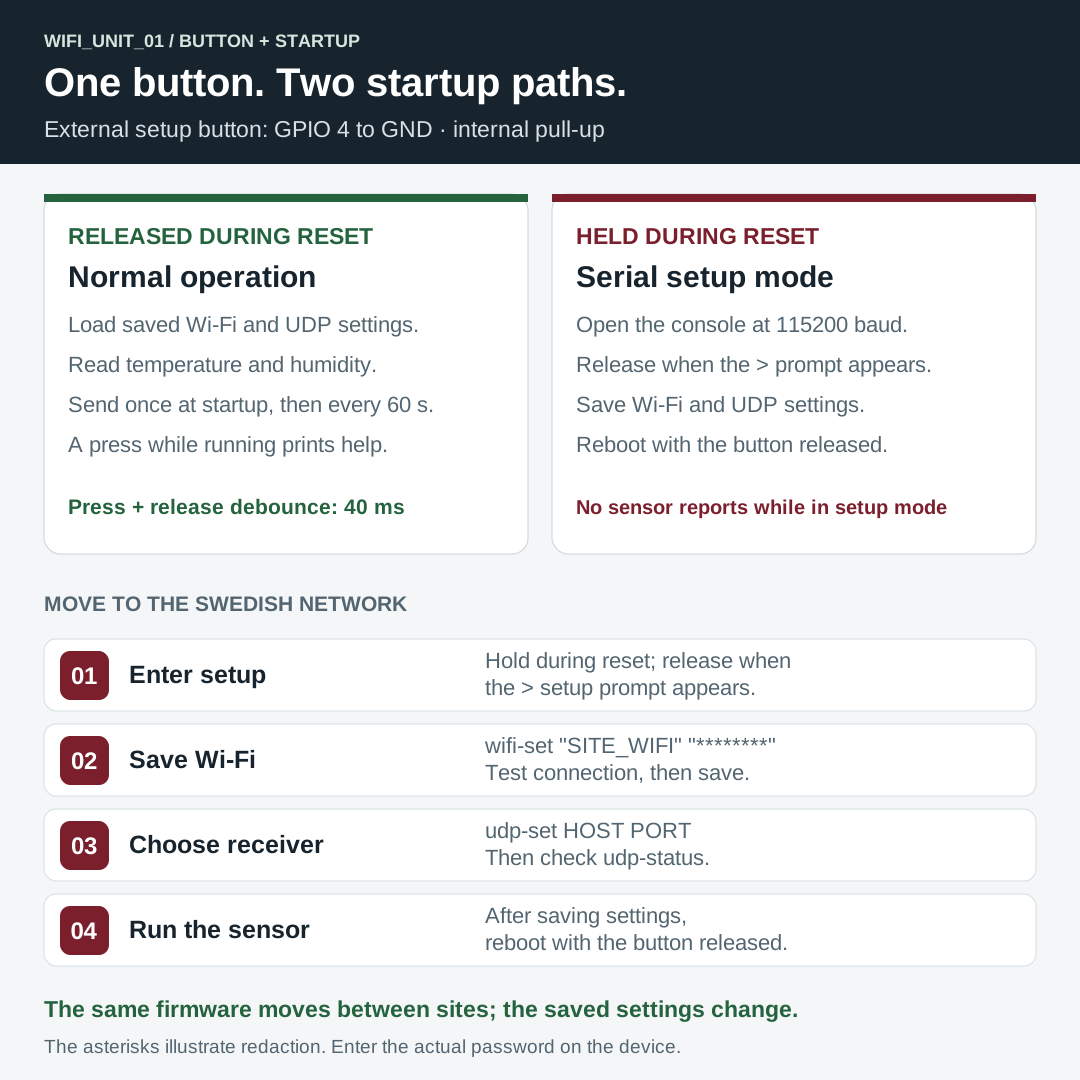
After the normal ESP32 bootloader loads the firmware, the application checks GPIO 4. Holding the external setup button during reset opens a serial console; leaving it released starts measurements using the saved settings. This setup mode is part of the application. The board’s BOOT/IO0 button is used separately for firmware download.
Connect over USB serial at 115200 baud. Hold the setup button while pressing EN/RST, then release it when the > prompt appears. Setup remains active until reboot.
> wifi-set "SITE_WIFI" "YOUR_PASSWORD"
> udp-set 192.168.1.100 12
> wifi-status
> udp-status
> reboot
Replace the example credentials and receiver address with those for the deployment network. Here, 192.168.1.100:12 is the Raspberry Pi receiver used for local testing. Reboot with the setup button released to start sending readings.
wifi-set tests the connection before saving; if it fails within 20 seconds, the previous credentials remain. udp-set saves the destination without checking whether a receiver is listening. The console also supports wifi-clear and help. Passwords are echoed while typing, so redact them from shared serial logs.
During normal operation, pressing the setup button prints a short configuration reminder.
Wiring and persistent settings
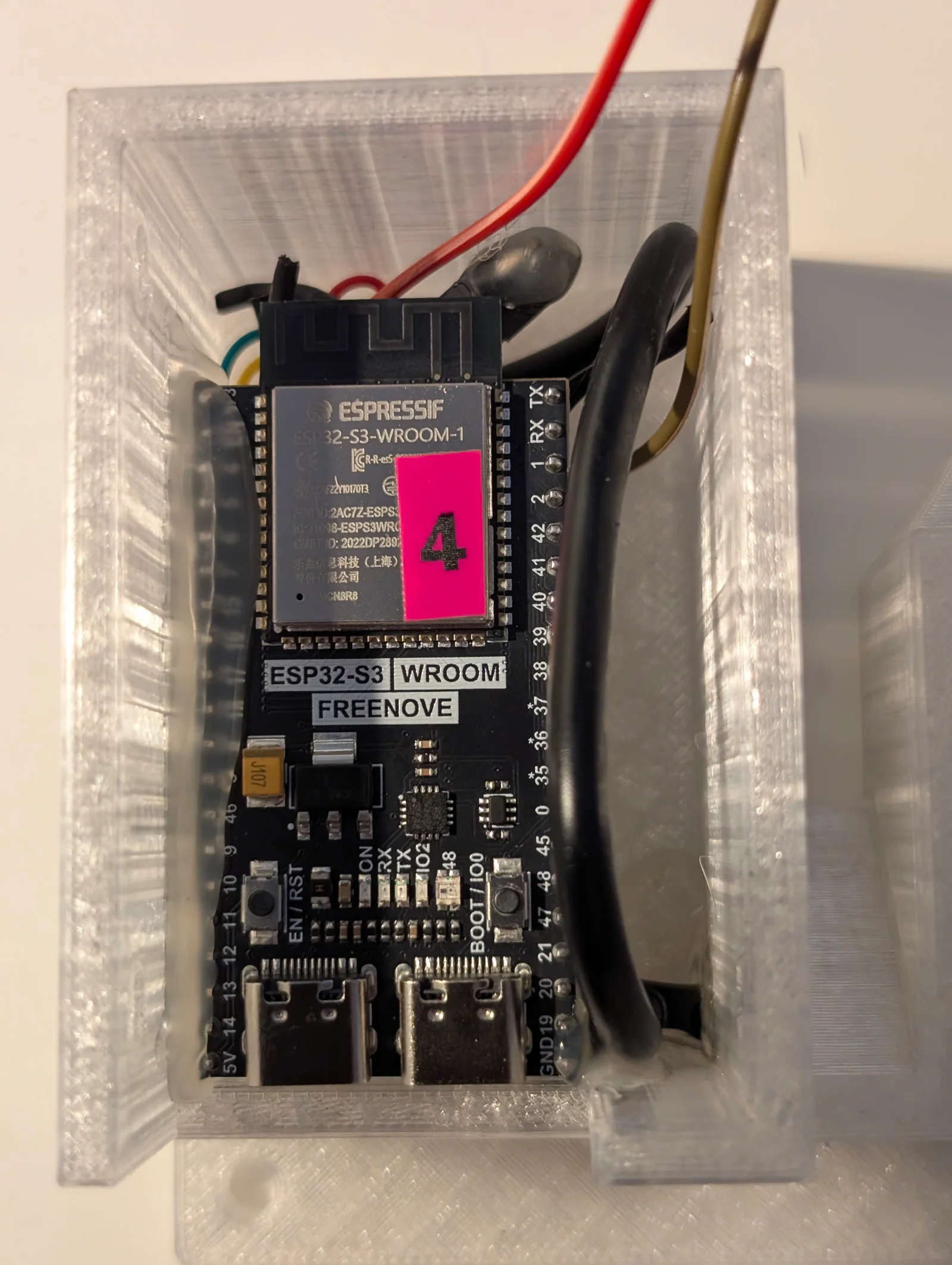
The SHT40 uses I²C address 0x44. Its wiring is VCC → 3V3, GND → GND, SDA → GPIO 8, SCL → GPIO 9. The setup button connects GPIO 4 to GND, using the internal pull-up.
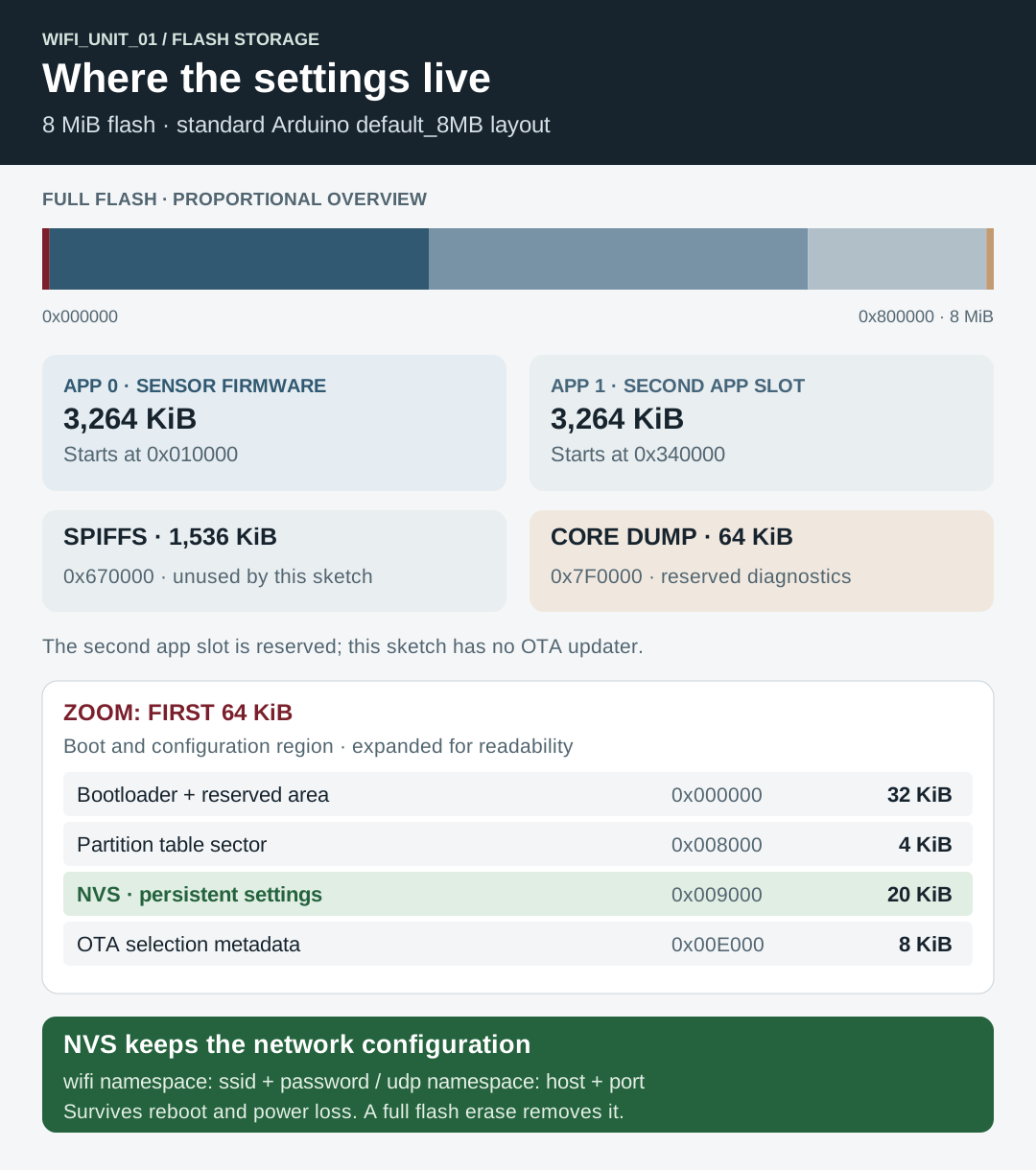
Wi-Fi credentials and the UDP destination are stored using Arduino’s Preferences API in NVS (Non-Volatile Storage). The standard default_8MB flash layout reserves 20 KiB for NVS. Settings survive reboot and power loss; a full flash erase removes them. The firmware keeps Wi-Fi values in the wifi namespace and receiver values in udp.
View the startup-mode diagram or the flash partition map.
One reading every minute
The sensor sends a reading at startup and then every 60 seconds, with temperature in °C and relative humidity in percent:
WIFI_UNIT_01: temperature=25.49,humidity=62.49Each reading is one UDP datagram ending in a newline. The unit prefix lets the receiver identify the source. Failed sensor reads are skipped; after a Wi-Fi drop, the firmware attempts to reconnect on the next reading. It does not buffer missed samples, and UDP does not acknowledge delivery.
The four devices are ready. Deployment now means setting appropriate Wi-Fi settings and receiving details, then verifying that the ingestion path accepts each unit’s identifier and readings.
References: Espressif NVS, Arduino 8 MB partition layout, and Sensirion SHT4x library.